TOP PICKS
Bestseller No. 1
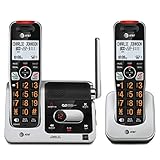
AT&T BL102-2 DECT 6.0 2-Handset Cordless Phone for Home with Answering Machine, Call Blocking, Caller ID Announcer, Audio Assist, Intercom, and Unsurpassed Range, Silver/Black
- UNSURPASSED RANGE: Experience the best in long-range coverage and clarity, provided by a unique antenna design and advances in noise-filtering technology
- ANSWERING SYSTEM: This reliable cordless system includes a digital answering machine that can record up to 22 minutes of incoming messages, outgoing announcements and memos, and a voice-guide for easier set up
- SMART CALL BLOCKER & CALLER ID ANNOUNCE: Say goodbye to unwanted calls. Robocalls on your landline are automatically blocked from ever ringing through - even the first time. You can also permanently blacklist any number you want with one touch on the dedicated key on the handset. The call block directory can store up to 1,000 name and number entries. Plus, the handset announces the name of the caller, so you can decide to answer the call or block it - screening calls has never been easier
- LARGE 2-INCH SCREEN, BIG TEXT, LIGHTED KEY PAD: High-contrast text on the extra-large 2 inch screen makes it easy to read incoming caller ID or call history records. Plus, the enlarged font and extra-large and lighted handset keypad allows for easy dialing in low-light conditions. This feature is helpful for those who are visually impaired
- HANDSET SPEAKERPHONE, AUDIO ASSIST, INTERCOM: This cordless system has built-in full-duplex speakerphone on handset allowing both ends to speak - and be heard - at the same time for conversations that are more true to life. Also designed with useful features like Audio Assist and handset intercom to help make your daily communications enjoyable
Bestseller No. 2

AT&T BL102-3 DECT 6.0 3-Handset Cordless Phone for Home with Answering Machine, Call Blocking, Caller ID Announcer, Audio Assist, Intercom, and Unsurpassed Range, Silver/Black
- UNSURPASSED RANGE & ANSWERING SYSTEM Experience the best in long-range coverage and clarity, provided by a unique antenna design and advances in noise-filtering technology. This reliable cordless system includes a digital answering machine that can record up to 22 minutes of incoming messages, outgoing announcements and memos, and a voice-guide for easier set up.
- SMART CALL BLOCKER & CALLER ID ANNOUNCE Say goodbye to unwanted calls. Robocalls on your landline are automatically blocked from ever ringing through - even the first time. You can also permanently blacklist any number you want with one touch on the delicated key on the handset. The call block directory can store up to 1,000 name and number entries. Plus, the handset announces the name of the caller, so you can decide on answer the call or block it - screening call is never easier.
- LARGE 2-INCH SCREEN, BIG TEXT, LIGHTED KEY PAD High-contrast text on the extra-large 2 inch screen makes it easy to read incoming caller ID or call history records. Plus, the enlarged font and extra-large and lighted handset keypad allows for easy dialing in low-light conditions. This feature is especially helpful for those who are visually impaired.
- HANDSET SPEAKERPHONE, AUDIO ASSIST, INTERCOM This cordless system has built-in a full-duplex speakerphone on handset allowing both ends to speak - and be heard - at the same time for conversations that are more true to life. Also designed with useful features like Audio Assit, handset intercom to help your daily communications enjoyable.
Bestseller No. 3
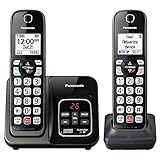
Panasonic Cordless Phone with Answering Machine, 2 Handsets Landline Phone | Home phones landline cordless featuring an answering machine, call block and caller ID, Metallic Black, KX-TGD832M
- Advanced Call Blocking: Automated Call Block pre-blocks robocalls; Telemarketing Call Block lets you block announced callers; block 1,000 more with 1-touch Call Block Button on the cordless phones with answering machine
- 2-Way Recording Telephone Landline Phones: Never miss important details again--record your telephone conversations to replay later; the announcement of “Start Recording” on this wireless home phone effectively deters suspicious callers
- One-Ring Scam Alert Cordless House Phone: Landline phones for home protects you from one-ring scams by displaying a confirmation screen when returning a one-ring call
- Reliable Connection with Panasonic Phones: Panasonic cordless home phone continues to connect families and friends all over the globe, offering reliable connection and intuitive design, proudly built on a legacy of Japanese innovation and craftsmanship
- Easy to Find & Use: Illuminated keypad with large characters of our landline phone with answering machine is findable even in the dark; speed dial gives you 1-touch access to your most-dialed numbers; wall-mountable design keeps home phones reliably close
Bestseller No. 4

VTech DECT 6.0 Cordless Phone – Interference-Free Sound, Large Backlit Display, Big Buttons, Caller ID, Speakerphone | VG231
- INTERFERENCE-FREE DECT 6.0 SOUND — DECT 6.0 technology delivers clear, private calls up to 1,000 ft — no static, no interference from Wi-Fi or other home devices.
- LARGE BACKLIT DISPLAY & BIG BUTTONS — The 2" high-contrast white display and oversized lighted keypad make it easy to read caller ID and dial accurately in any lighting — day or night
- CALLER ID & FULL DUPLEX SPEAKERPHONE — Stores up to 50 calls with name, number, time, and date. Full-duplex speakerphone lets both sides of the conversation speak freely at the same time — no cutting out
- QUIET MODE & ECO MODE — Silence the ringer on the handset and base on demand with Quiet Mode. ECO Mode reduces wireless transmission power when the handset is close to the base, extending battery life
- WORKS WITH YOUR PHONE SERVICE — Compatible with traditional landline, cable phone, and VoIP services including Ooma, Vonage, and Google Voice. Up to 10 hrs talk time / 7-day standby per charge
Bestseller No. 5
VTech CS6719-2 2-Handset Cordless Phone with Caller ID/Call Waiting, Handset Intercom & Backlit Display/Keypad, Silver
- Reliable 2-Handset Cordless System: Includes two handsets for convenient multi-room use plus a sleek base
- Clear DECT 6.0 Sound Quality: Interference-free calls with excellent voice clarity and full-duplex handset speakerphone for natural hands-free conversations
- Caller ID & Call Waiting: Easily view names and numbers on the large backlit display and stores up to 50 caller ID entries for quick review
- Backlit Keypad & Display: Bright illumination makes dialing and seeing information easy, even in low light or at night
- Practical Everyday Features: Power-conserving technology, Quiet mode silences the ringer, intercom between handsets, and conference calling for simple, dependable performance without extra complexity
SaleBestseller No. 6 −12%

Panasonic Cordless Phone, Easy to Use with Large Display & Big Buttons, Flashing Favorites Key, Flashlight, Call Block, Volume Boost, Talking Caller ID, House Phones, 2 Cordless Handsets - KX-TGU432B
- Easy to Use Cordless Home Phones with Two Handsets: With a large 2.1” display, big buttons, and many other features, KX-TGU4 is designed to make it easy to stay in touch with your loved ones
- Contact your Loved Ones with a Button: Favorites Key flashes to notify you of incoming and missed calls, so you can quickly and easily contact your loved ones by just pressing the key; register up to 3 contacts in these cordless house phones
- Built-in Flashlight for Help in the Dark or in an Emergency: Flashlight function built into these cordless phones comes in handy during nighttime trips to the bathroom, and is easily findable if help is needed
- Advanced Call Blocking: Automated Call Block pre-blocks robocalls; Telemarketing Call Block lets you block announced callers; block up to 1,000 with 1-touch Call Block Button on the wireless home phone
- Understand Every Word with Volume Boost: No more asking people to repeat themselves; with this cordless phone for seniors every word will be loud and clear with Volume Boost, which amplifies up to +12 dB
Bestseller No. 7
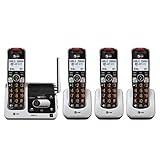
AT&T BL102-4 DECT 6.0 4-Handset Cordless Phone for Home with Answering Machine, Call Blocking, Caller ID Announcer, Audio Assist, Intercom, and Unsurpassed Range, Silver/Black
- UNSURPASSED RANGE & ANSWERING SYSTEM Experience the best in long-range coverage and clarity, provided by a unique antenna design and advances in noise-filtering technology. This reliable cordless system includes a digital answering machine that can record up to 22 minutes of incoming messages, outgoing announcements and memos, and a voice-guide for easier set up..Rechargeable batteries: This product contains nickel-metal hydride rechargeable batteries
- SMART CALL BLOCKER & CALLER ID ANNOUNCE Say goodbye to unwanted calls. Robocalls on your landline are automatically blocked from ever ringing through - even the first time. You can also permanently blacklist any number you want with one touch on the delicated key on the handset. The call block directory can store up to 1,000 name and number entries. Plus, the handset announces the name of the caller, so you can decide on answer the call or block it - screening call is never easier.
- LARGE 2-INCH SCREEN, BIG TEXT, LIGHTED KEY PAD High-contrast text on the extra-large 2 inch screen makes it easy to read incoming caller ID or call history records. Plus, the enlarged font and extra-large and lighted handset keypad allows for easy dialing in low-light conditions. This feature is especially helpful for those who are visually impaired.
- HANDSET SPEAKERPHONE, AUDIO ASSIST, INTERCOM This cordless system has built-in a full-duplex speakerphone on handset allowing both ends to speak - and be heard - at the same time for conversations that are more true to life. Also designed with useful features like Audio Assit, handset intercom to help your daily communications enjoyable.
Bestseller No. 8

VTech Cordless Phone with DECT 6.0, Full-Duplex Speakerphone, Lighted Display, Backlit Keypad, Caller ID/Call Waiting, Volume Control, Hearing Aid Compatible, Wall Mount | VG131-11 (Black)
- [DECT 6.0 enables Long Range & Clear Sound] - Trusted by families worldwide for decades, VTech' s cordless telephone transmits secure signals via DECT 6.0 channel ensures crystal clear sounds, interference-free, and stable operation range up to 1000 ft outdoor.
- [Backlit Display & Keypad for Better Visibility] - Blue-white backlit display and green backlit keypad for easier viewing and dialing in dim light. Handset displays the name, number, time and date of incoming calls.
- [Speak & Hear simultaneously with Full-Duplex Speakerphone] - Full-duplex handset speakerphone. Enjoy a speakerphone that can keep up with your calls. Increase participation by allowing both ends to speak - and be heard - at the same time for conversations that are more true to life.
- [Easy access to essential features] - One-touch volume control and mute button. You can silence your phone for a single call.
- [Easy Wall Mount] - Easy-to-Use wall mount capability - The base mounts easily to all of the standard wall mount plates. No additional bracket needed. Simply slide the base unit into the mounting plate using the built-in mounting holes.
BUYING GUIDE
Choosing a cordless phone for seniors can significantly enhance their communication experience by providing them with a device that’s specifically designed to cater to their needs. Features such as large buttons, clear displays, and enhanced sound can all make using a cordless phone much easier for a senior. To help you find the best cordless phone for seniors, consider the following key factors:
1. Ease of Use: The best cordless phones for seniors are easy to use with intuitive controls and features. Large, backlit buttons and a straightforward user interface are essential. An easily accessible phonebook and simple-to-use call functions can also make a significant difference.
2. Display: A cordless phone for seniors should have a large, clear display with high contrast and easy-to-read fonts. The screen should be backlit for easy viewing in low-light conditions.
3. Sound Quality and Volume Control: Good sound quality is crucial. Many seniors might have diminished hearing, so look for phones with adjustable volume controls and hearing aid compatibility. Some phones also have a ‘boost’ feature that amplifies the volume temporarily.
4. Emergency Features: Some cordless phones for seniors come with SOS or emergency call buttons that can auto-dial pre-set numbers during an emergency. This can be a vital feature for seniors living alone.
5. Size and Weight: The handset should be lightweight and easy to hold. A phone that’s too heavy or awkwardly shaped can be uncomfortable for seniors, particularly those with arthritis or other physical conditions.
6. Battery Life: Good battery life is another key factor to consider. Seniors might forget to place the phone back on its base to recharge, so a long battery life can ensure that the phone remains functional.
7. Speed Dial: Phones that have speed dial capabilities can simplify the process of calling frequently dialed numbers, making the experience much more convenient for seniors.
8. Customer Support: Customer support should be easily accessible and helpful. Seniors, especially those who aren’t tech-savvy, might need assistance setting up or operating the phone.
Remember, the best cordless phone for seniors will depend on the individual’s specific needs and abilities. Always consider the user’s preferences and capabilities when choosing a phone. If possible, it’s a good idea to involve them in the selection process to ensure the phone meets their requirements and is comfortable for them to use.