TOP PICKS
SaleBestseller No. 1 −12%

YGSKK Mini Projector with Wifi and Bluetooth, Built-in Apps,Movie Projector | Electric Focus Portable Projector, 1080P Video Projector for Bedroom, Supports Smartphone/TV...
- 【The Latest WIFI 6 Technology And Bluetooth 5.3】This projector with Wi-Fi and Bluetooth is equipped with the latest Wi-Fi 6 technology, compatible with Wi-Fi 6, 5G and 2.4G, offering faster connection speed and stronger stability, eliminating buffering and disconnection issues, and ensuring smoother online content playback. Additionally, it is fitted with the latest Bluetooth 5.3 chip, allowing for easy connection to Bluetooth speakers, headphones or other Bluetooth audio devices, providing a more efficient and stable transmission channel, and enabling users to enjoy higher audio quality with ease
- 【Built-in Streaming Media APP】Without any additional equipment,The YGSKK Wi-Fi projector supports streaming apps such as Prime Video, YouTube, and Hulu.The built-in applications allow you to easily enjoy a wide variety of movies, popular TV series and millions of other contents. Moreover, it also has an app store where you can download more applications. Whether it's a shared movie night or personal entertainment, this smart projector is very suitable
- 【Native 1080P High Definition,Compatible 4K】The native 1080P resolution presents you with clear and sharp full HD picture quality, with a brightness of up to 300 ANSI lumens, offering you images that are 50% brighter than those of similar projectors on the market. Whether you are watching movies, TV series, playing games or browsing photos, it will bring you astonishing clarity. Moreover, this movie projector is compatible with 4K, allowing you to enjoy the perfect experience of 4K picture quality. Note: Please ensure to connect 4K devices (such as TV sticks or USB drives) via HDMI to play 4K videos
- 【Wirelessly Connect to a Smart Phone, 50-200‘’ Large Screens】This is an amazing projector for iPhone. It is equipped with the "J-Share" setting, which enables wireless connection with smartphones. Both the phone and the projector need to be in the same network environment. Android phones need to download a program to connect, while iPhones do not need to download any applications (connect through the iPhone's screen mirroring function). In addition, this portable projector can project a large screen of 50 to 200 inches. You can adjust the screen size according to your personal preference to better enjoy the perfect experience of a large screen
- 【Strong Compatibility And Built-in Speakers】YGSKK projector for bedroom is equipped with three interfaces: HDMI, USB and audio (with an HDMI cable included). It is compatible with TV sticks, TV boxes, DVD players, laptops, USB flash drives, Switch/PS5, PC and other devices. The projector is built with high-fidelity stereo speakers, providing excellent and clear audio quality for an outstanding audio experience. It is also an excellent mini projector suitable for both indoor and outdoor activities
Bestseller No. 2

HOMPOW Mini Projector, 1080P Supported Portable Bluetooth projector | Mini & Portable, Built-in Bluetooth/Speaker, Home Theater, Outdoor/Indoor, HDMI/USB Compatible Phone & Laptop(Orange)
- High-Definition Resolution: This outdoor projector supports 1080P Full HD, with a native resolution of 720P (1280x720), delivering clear and vibrant images that bring children's movies, cartoons, and games to life—Avoid manual brightness adjustments to maintain optimal picture quality
- Eye-Protective Technology: With low-blue-light technology and reflected imaging, this ceiling projector reduces eye strain during late-night movies, ensuring a safer viewing experience for your little ones
- Screen Mirroring: It is easy to mirror the screen to this portable projector. For Android phones, use a Micro USB/Type-C to HDMI adapter. For iPhones/iPads, you’ll need a Lightning to HDMI adapter (Adapter sold separately). Plug in a TV stick (sold separately) for Netflix/Hulu—enjoy HDCP-compliant streaming
- Two -Way Bluetooth: This mini projector features bidirectional Bluetooth 5.1, allowing you to connect external Bluetooth speakers for enhanced sound quality or use the projector as a Bluetooth speaker to play music directly from your phone
- Compact and Portable: Weighing just 0.7 kg, this portable projector is easy for people to carry and set up for movie nights. It also supports flexible screen size adjustment—position the projector 3.5–7.3 ft from the wall to get a 40"–120" image, and use the Projection Reduce setting to shrink the screen from 100% to 50% without moving the projector
Bestseller No. 3

Mini Projector, Portable Smart Projector 4K WiFi 6 BT 5.4 [Built-in App] | Auto Keystone, Movie Projector Compatible With HDMI/USB/TV Stick/Smartphone/Laptop/PS5 Home Theater 180° Rotation White
- 1. Direct projection from iPhone/Android brings exceptional visual quality: This portable mini projector allows you to easily enjoy high-definition image quality. Whether it's a home theater, a business presentation or outdoor entertainment, you can enjoy smooth and clear images and an immersive visual feast with just one click.
- 2. 180° Rotation for Maximum Installation Flexibility:Thanks to its 180° rotation feature, this projector allows for a variety of projections from different angles. Whether you want to project on a wall, ceiling, or inclined surface, this projector easily meets your needs for quick and easy installation.
- 3. Android 11.0 and Netflix built-in, unlimited entertainment:This projector comes with Android 11.0 and a built-in Netflix app, giving you direct access to your favorite movies, series and content without the need for an additional device. Enjoy instant, uninterrupted entertainment from the comfort of your home.
- 4. Advanced connectivity with WiFi 6 and Bluetooth 5.0:Get the latest connectivity with WiFi 6, which offers faster connection speeds and a greater range for smooth streaming. Bluetooth 5.0 makes it easy to connect wireless audio devices such as speakers or headphones for the best audio experience.
- 5. Automatic keystone correction for perfect projection:The automatic keystone correction feature ensures that the projected image is always perfectly aligned, even if the projector is mounted at a non-optimal angle. Simply adjust the angle of the projector and the image will automatically adjust to the ideal rectangular projection.
Bestseller No. 4

WISHOLY Mini Projector with WiFi and Bluetooth, Portable Movie Projector with 180° Rotatable, 1080P HD Supported, Auto Vertical Keystone, Compatible with Smartphone, TV Stick, Laptop, HDMI, USB
- [ Mini Projector with WiFi and Bluetooth] Equipped with 2.4G + 5G dual-band WiFi, this WISHOLY projector offers ultra-fast and stable screen mirroring with no lag or frame drops. Even when WiFi isn't available, you can still mirror your phone's screen using cellular data with a simple one-step setup—no cables or adapters required
- [ Portable Bluetooth Projector] Connect your WISHOLY projector to Bluetooth speakers for richer, more powerful sound, or pair it with headphones for a private, immersive viewing experience without disturbing others. Please Note: Bluetooth connection is only for audio transmission with audio devices, which cannot be used on smartphone screen mirroring
- [180° Rotatable Video Projector] Featuring a 180° adjustable stand, this 1080p projector allows you to effortlessly project from any angle—whether on a table, bedside, wall-mounted, or even the ceiling—providing flexible viewing options for any space
- [Auto Vertical Keystone Correction] The movie projector features automatic vertical keystone correction, instantly adjusting the image for a perfectly aligned, distortion-free display—no manual adjustments needed for a seamless viewing experience
- [Endless Entertainment with TV Stick] Just plug your TV Stick (not included) into the home projector and start streaming millions of videos from services like Netflix, Amazon Prime Video, Hulu, and more. No TV Stick? No problem! You can easily connect a laptop or computer via HDMI for endless entertainment
SaleBestseller No. 5 −38%

HAPPRUN Roku TV Smart Mini Projector with WiFi and Bluetooth for Portable | Roku Entertainment Built-in, Dolby Audio, Streaming Apps, Auto Keystone Smart Movie Projector for Outdoor & Home Theater
- [Roku Entertainment Built-in - America’s #1 Streaming Platform] - All the top apps are in one place, so you can always stream your favorite shows, movies, and more — no dongles, extra sticks, or input switching required. Main hot apps are supported like, NetfIix, Prime Video, Hulu, YouTube, Roku Channel, and Apple TV. The Roku Channel offers 500+ TV channels with live news and weather, sports coverage, and more—totally free.
- [Dolby Audio + Stereo Speakers Built-in] - Dual stereo speakers come with Dolby Audio and deliver rich, balanced sound for movies, TV shows, sports and music without needing external speakers.
- [Mini Size, Big-Screen Entertainment Anywhere] - Small and light-weight enough to fit into a backpack or suitcase, making it the perfect portable projector for bedrooms, dorm rooms, backyard, hotels, RV trips and family vacations.
- [Simple Setup. Instant Streaming.] - Just power up our smart projector, connect to the internet, and dive into a world of streaming.
- [Turn Any Wall into a Theater] - Enjoy a massive screen experience -much bigger than a TV. Perfect for movie nights, sports events, gaming and family entertainment.
Bestseller No. 6

Mini Projector with Wifi and Bluetooth, Portable 4K Support, Android 14/ Auto Keystone, HY300Pro Small Smart Proyector for Bedroom Movie Outdoor, Compatible With HDMI/USB/TV Stick/Smartphone/Laptop
- 【Your Plug-and-Play Smart Cinema】It starts with the powerful Allwinner H726 chip and pure Android 14 for wireless freedom and direct access to hulu, YouTube and more with no extra sticks. The 135'' giant screen that pulls you into the immersive viewing experience. This is the smart projector that does it all
- 【Big Screen & Tiny Space】Our 0.9:1 ultra-short throw mini projector is made for bedrooms and small living rooms. Sits close to the wall (0.75m-2.65m), throws a huge 35-135” image. Effortlessly resize (80%-100%) without moving it. For the best 80”+ view, we recommend 1.6m
- 【4K Supported & Native 720P for Casual Use】Sharp enough for streaming. Bright enough for a bedroom or a backyard hangout. Simple enough for anyone. This portable projector is an affordable option for creating a basic home cinema experience. HD 720P | 4K Support | Total Freedom
- 【Portable Design & Universal Mounting】In seconds, you can swivel its lens 180° to project onto any surface. This mini proyector offers flexibility with ceiling mounting, table placement, tripod installation. Weighing only 0.77lb, it easily adapts to any space or occasion
- 【Vivid Detail & Built-In Sound】With 200 ANSI lumens brightness and an 8000:1 contrast ratio, this hy300 projector delivers clear, watchable images for movies, kids' shows, and gaming. The integrated 5W SoundBase Speaker provides rich audio, completing your experience—no external speakers needed
Bestseller No. 7
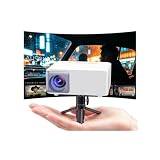
Mini Projector for iPhone 1080P Support Portable Movie Projector | Small Projector For Bedroom/Outdoor Projector with Tripod Stand Supports Smartphones/TV Stick/HDMI/USB
- 【Ultra-Clear 1080P Support & Glass Lens】Bring your movies to life with 1080P support resolution and 5-layer optical glass lenses—delivering 50% sharper images than standard 480P projectors. With 15000LM brightness and 1000:1 contrast, every scene pops with vivid color and crisp detail. This mini projector connects easily to your TV Stick, laptop, gaming console, or iPhone via HDMI adapter (adapter required for iPhone, not included).
- 【Sturdy Tripod Stand Included】No more stacking books to get the right angle. This portable projector comes with a stable tripod stand, so you can easily adjust height and tilt for cozy projector for bedroom movie nights, backyard outdoor projector screenings, or kids' cartoon marathons. Compact and ready wherever you go.
- 【Feather-Light 0.9lb & Up To 200” Screen】Small enough to slip into your bag, powerful enough to fill a wall. This mini projector weighs just 0.9lbs and measures 5.4×4.2×2.4 inches, yet delivers a massive 30” to 200” display—perfect for dorm rooms, camping trips, or transforming your living room into a private home theater. A true portable projector for life on the go.
- 【Rich Audio & Whisper-Quiet Cooling】Built-in HiFi speaker delivers surprisingly dynamic sound for its size, while the advanced cooling system keeps fan noise under 38dB—so you hear every whisper of dialogue, not the hum of the machine. Diffuse reflection technology filters blue light to reduce eye strain during long gaming sessions or kids' movie projector nights.
- 【Versatile Compatibility & Lifetime Support】Equipped with HDMI, USB, AV, TF card, and earphone ports, this smart projector connects effortlessly to TV Sticks, PS5, Switch, laptops, and more. Use it as a phone projector for sharing photos, or a mini projector for iPhone with an HDMI adapter (not included). For streaming services like Netflix/Hulu, simply use a TV Stick or HDMI-connected device. Backed by lifetime technical support—we've got you covered.
SaleBestseller No. 8 −20%

Mini Projector with WiFi and Bluetooth, AKIYO 2026 Upgraded Projector 1080P | Support Auto Keystone, 360° Rotating, Portable Projector for Home Theater/Outdoor, Compatible with iOS/Android/Laptop/PS5
- 【P2P Direct Connection & NO WiFi Required】Newly upgraded P2P connection method, iOS/Android no longer needs to connect to the projector under WiFi environment. After the projector switches to the corresponding interface, the mobile phone can cast the screen with one click! Solve all connection problems caused by network interference. Whether you are outside or traveling, you can enjoy a smooth viewing experience
- 【5G WiFi & Bluetooth 5.2】 AKIYO upgraded mini projector supports 5G/2.4G dual-screen WiFi connection and is compatible with Android/iOS/Windows 10. The maximum speed can reach 9.6G bps, allowing you to enjoy a smooth, lag-free experience. The built-in Bluetooth 5.2 chip allows you to instantly connect to wireless Bluetooth headphones or speakers. Note: Bluetooth does not support connection with smartphones
- 【 Full HD 1080P Supported】 The AKIYO 2025 updated mini WiFi projector supports full HD 1080P. Definition images and superb color brightness are provided by the 200 ANSI brightness and 2000:1 contrast ratio, giving you the greatest video experience. NOTE: The mini projector will work better in a dark environment
- 【360° Rotating Stand & Automatic Keystone】AKIYO 2025 upgrade projector features a 360° rotating stand, breaking through the limitations of traditional projection positions. The rotating stand allows you to project your image onto walls, ceilings, or even a drawing table. Automatic vertical keystone correction generates a perfect rectangular image in just one second. The 50% zoom function allows you to zoom out the projected image to 50% via the remote control without moving the projector.
- 【Ultra Small Size and Portable Cinema】 The size of the mini projector is 4,8*3,7*3,3 in, which is the size of two Coke cans. It's small enough to fit in your pocket or bag. The projector weighs only 360 grams, making it easy for even a small child to hold. The elegant design makes it ideal for gift-giving.NOTE: Copyrighted videos such as Netflix, Amazon Prime, and Disney may not support direct playback through mobile phone mirroring. It is recommended to connect to a TV Stick to play
SaleBestseller No. 9 −36%

Aurzen Roku TV E1R Smart Portable Mini Projector with WiFi and Bluetooth | Roku TV Built-in, Upgraded Sound Base, DoIby Audio,Portable for Bedroom Movie with 180° Rotation Stand & Cleaning...
- A Roku account and internet connection are required for activation (Creating an account is free)
- Roku TV Smart Mini Projector | All Top Apps: No streaming sticks. No switching inputs. Simply connect to Wi-Fi and explore NetfIix, Prime Video, HuIu, YouTube, The Roku Channel, AppIe TV, and more—all from the easy-to-use Roku home screen. You'll also find live sports, plus plenty of free movies, shows, and live TV to enjoy. Powered by America's #1 TV streaming platform (based on hours streamed—Hypothesis Group, Dec. 2024), it makes your first smart projector experience simple from day one.
- Bigger, Richer Sound, Built into the Base: Big-screen entertainment deserves more than thin, undersized sound. That's why we built in a 3× larger sound chamber with DoIby Audio, delivering up to 2× the volume with fuller sound, clearer dialogue, and wider coverage. Movies feel more complete. Music fills the space better. And when you turn it up, the sound stays full and smooth—not harsh and strained.
- Mini Size, Light to Move | Plug-In Power: Grab the built-in strap and take it from the bedroom to the outdoor—or over to a friend's place. Under 1 lb keeps it light in hand, while the compact, rounded portable design looks right at home wherever it lands. Power Note: Requires a wall outlet and the included DC power cable. No built-in battery; USB-C power input is not supported.
- Clear Picture | 6 Modes, Tuned Your Way: Roku Smart Picture automatically matches the picture settings to what you're watching, or lets you choose from Movie, Sports, Vivid, Standard, and Low Power modes. Natural and balanced. Bright and colorful. More cinematic. With 6 picture modes, it's easy to find a clear, enjoyable look that fits both the content and your personal taste.
BUYING GUIDE
In an increasingly mobile world, the ability to share content from your iPhone to a larger screen can be a great convenience. Whether you’re conducting a business presentation or hosting a movie night with friends, an iPhone-compatible projector can be an excellent tool. With a plethora of choices available on the market, picking the right one can seem daunting. This guide will help you understand key factors you should consider when choosing the best projector for your iPhone.
1. Compatibility: The first thing you need to check is whether the projector is compatible with your iPhone model. Many projectors come with an HDMI port and can be connected to your iPhone using an Apple Digital AV Adapter.
2. Size and Portability: If you plan on moving around with your projector, you might want to consider mini or pico projectors. These are small, lightweight, and often come with built-in batteries, making them highly portable.
3. Resolution: For the best viewing experience, look for a projector that supports at least 720p resolution. If you’re willing to spend a bit more, consider a full HD (1080p) or even a 4K projector for sharper and more detailed images.
4. Brightness: Projector brightness is measured in lumens. For indoor use in a dark room, a projector with 1,000 to 2,000 lumens might suffice. However, if you plan to use it in a well-lit room or outdoors, you’ll need a projector with higher lumens.
5. Connectivity: Although you’re looking for a projector for your iPhone, having multiple connectivity options can be a plus. Check for projectors with HDMI, USB, and VGA ports, as well as wireless connectivity like Wi-Fi or Bluetooth.
6. Throw Ratio: The throw ratio determines how big an image the projector can create for a certain distance. If you’re working with a small space, a short-throw or ultra-short-throw projector would be ideal.
7. Battery Life: If you choose a portable projector, check the battery life. You don’t want your projector to die in the middle of a presentation or movie.
8. Audio: Most projectors have built-in speakers, but their quality varies. If audio quality is important for your needs, look for a projector with a good speaker or an audio out port for connecting external speakers.
9. Price: Set a budget before starting your search. The cost of projectors varies greatly depending on their features, so knowing what you’re willing to spend can help narrow down your options.
With these factors in mind, you should be well on your way to choosing the best projector for your iPhone. Happy viewing!